
Our Wealth Management System (WMS) client portal has recently been updated with a fresh look and enhanced features designed to help you engage with your financial information in new ways. Whether you log in from your computer or access your information on the go, there are several features worth exploring.
Personalize Your Home Page
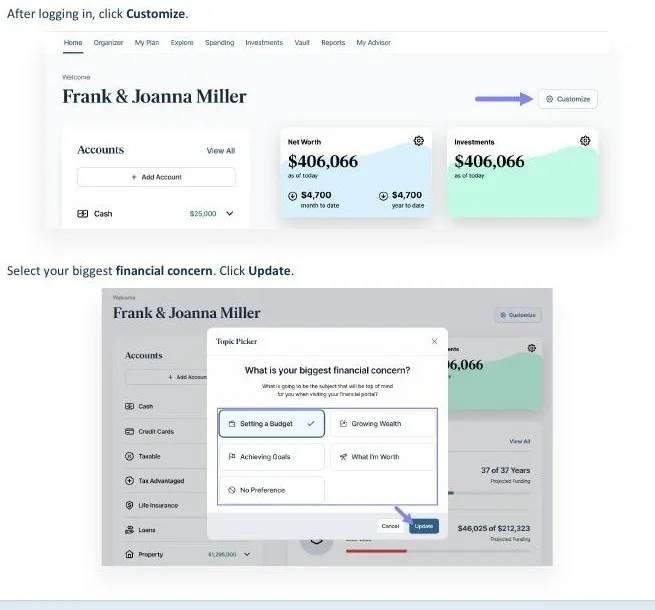
You can customize your portal’s home page based on your biggest financial concern. Whether you’re focused on setting a budget, growing your wealth, achieving financial goals, or understanding your net worth, you can tailor the experience to better reflect what matters most to you.
Explore Financial Possibilities
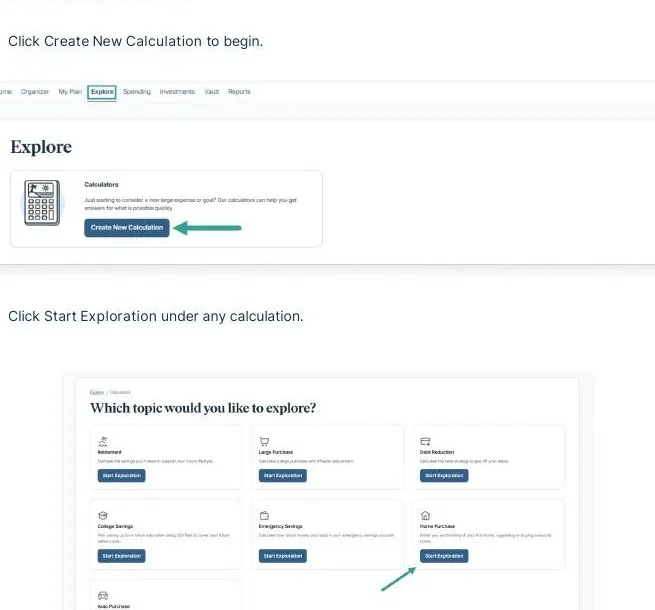
The Explore feature lets you run financial calculations and consider different scenarios without changing your advisor’s existing financial plan. You can save calculations, revisit them later, and choose whether to share them with your advisor. It’s a useful way to explore financial questions and identify topics you may want to discuss with our team.
Take Your Portal on the Go
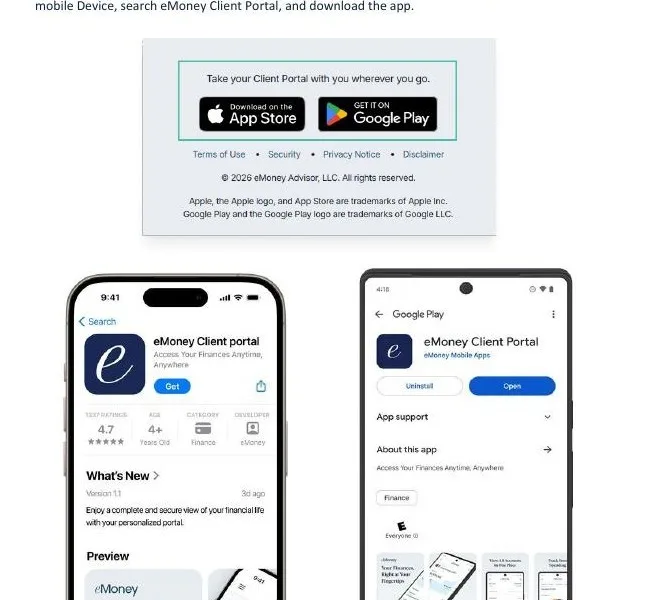
You can also access your Client Portal through the eMoney Client Portal mobile app. The app provides convenient access from your mobile device and includes features such as push notifications and fingerprint or Face ID verification, which can make signing in and staying on top of portal alerts easier.
Need a Hand?
We encourage you to explore the updated portal at your convenience. If you have questions, need help accessing the mobile app, or would like assistance finding your way around the new features, please reach out to the Keystone Financial Services team. We’re happy to help you get comfortable with the tools available to you.